Quick answer: If your online store gets visitors but no sales, it is rarely a traffic problem. In most stores the cause is one of five things: slow pages on mobile, a poor mobile layout, product pages that do not answer questions, a long and confusing checkout, or no follow-up on abandoned carts. Fix these before you spend more on ads.
Most store owners think the answer to slow sales is more traffic. After 5 years working in ecommerce, I see something different. Nine times out of ten the problem is not traffic. It is small things like a slow site, a confusing checkout or a bad mobile layout. This guide lists the five things I check first, and how to fix each one.
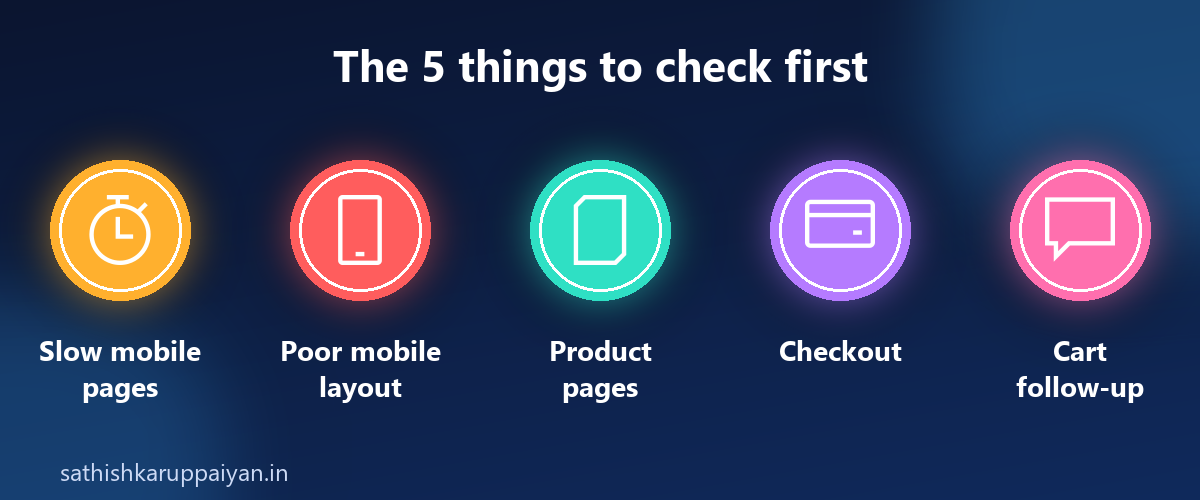
1. Slow pages on mobile
Visitors do not wait for a slow store. If your pages take too long to load on a phone, many of them leave before they see a single product.
How to fix it:
- Compress your product images.
- Remove apps that slow the store down.
- Clean up the theme code.
Test your store on your own phone, on mobile data, not on fast office Wi-Fi. If it feels slow to you, it feels slow to your customers.
2. A poor mobile layout
A store can load fast and still lose sales if it is hard to use on a phone. If your text is hard to read, your buttons are hard to tap, or your menu is confusing, visitors leave.
How to fix it: open your store on a phone and place an order yourself. Note every moment you have to zoom, scroll sideways or hunt for a button, and fix those first.
3. Product pages that do not answer questions
A shopper who cannot find size, delivery or return details will not buy. They will leave to look for answers somewhere else.
How to fix it:
- Show photos from every angle.
- Put size, delivery and return information above the Buy button.
- Place reviews beside it.
For clothing stores, a clear size chart and honest photos also reduce returns. I cover this in ecommerce mistakes online stores make.
4. A long, confusing checkout
Many shoppers who add a product to the cart never finish the order. A long form and surprise costs are common reasons.
How to fix it:
- Use fewer form fields.
- Show the shipping cost early, not at the last step.
- Offer UPI and cash on delivery.
5. No follow-up on abandoned carts
Someone who put a product in the cart already wanted it. A simple reminder can bring that order back.
How to fix it:
- Send WhatsApp reminders and email follow-ups for abandoned carts.
- Add trust badges.
- Show a clear return policy.
If you want to automate this on WhatsApp, read why the WhatsApp API is worth it for ecommerce.
What happened when these fixes were made
These are the same kinds of fixes behind a women’s clothing store that went from almost no sales to 50,780 orders and ₹4 Cr+ in sales in six months. There was no viral video and no big-name influencer. The store was fixed first: a fast store, product pages that sell, a simple checkout, won-back lost orders and repeat buyers. Read the full story in how to get more orders for an online clothing store.
Quick checklist for your store
- Does my store load fast on mobile data?
- Is it easy to read and tap on a phone?
- Do my product pages show size, delivery and returns above the Buy button?
- Is my checkout short, with shipping cost shown early and UPI and COD offered?
- Do I follow up on abandoned carts?
Fix the one that sounds most like your store, starting this week.
Frequently asked questions
Why does my online store get visitors but no sales?
It is rarely a traffic problem. In most stores the cause is slow pages on mobile, a poor mobile layout, product pages that do not answer questions, a long and confusing checkout, or no follow-up on abandoned carts.
What should I fix first on my online store?
Start with speed and mobile, because every other fix depends on visitors being able to load and use the store on a phone. Then work through product pages, checkout and cart follow-up.
How do I make my product pages convert better?
Show photos from every angle, put size, delivery and return information above the Buy button, and place reviews beside it.
How can I improve my checkout?
Use fewer form fields, show the shipping cost early, and offer UPI and cash on delivery.
How do I win back abandoned carts?
Send WhatsApp reminders and email follow-ups, and add trust badges and a clear return policy.
Want a second opinion on your store?
If your store gets visitors but no sales, message me here. Tell me how your store works today and I will give you a second opinion.