Quick answer: The WhatsApp Business API lets an online store automate order confirmations, COD confirmation, shipping updates, campaigns and a shared team inbox, which the free WhatsApp Business app cannot do at scale. You get access through a Business Solution Provider (BSP) such as WATI, Interakt or AiSensy.
If you run an online store in India, your customers are on WhatsApp all day. They message you before they buy, ask where their parcel is, and sometimes come back to reorder through the same chat.
Many store owners still handle all of this on the free WhatsApp Business app. It works for a while. Then orders grow, and it starts to fall apart.
This post explains why the WhatsApp API for ecommerce is no longer optional, and how to get it.
What is the WhatsApp Business API?
The normal WhatsApp Business app is made for one person on one phone. The WhatsApp Business API is the version made for companies. It connects WhatsApp to software, so messages can be sent and received automatically, and many team members can work at the same time.
You don’t use the API directly. You get access through a BSP (Business Solution Provider), a company that gives you the dashboard, inbox and tools on top of it.
The problems with the free app
Here is what hurts once you have real order volume:
- One phone, one person. Only one person can reply at a time, and if the phone is lost or breaks, you are stuck.
- Everything is manual. Someone has to type each order confirmation and tracking number.
- Bulk messaging is risky. Sending offers to hundreds of contacts from a normal number can get it blocked.
- No real automation. You can’t build proper chatbots or connect it to your store.
7 reasons the API is worth it
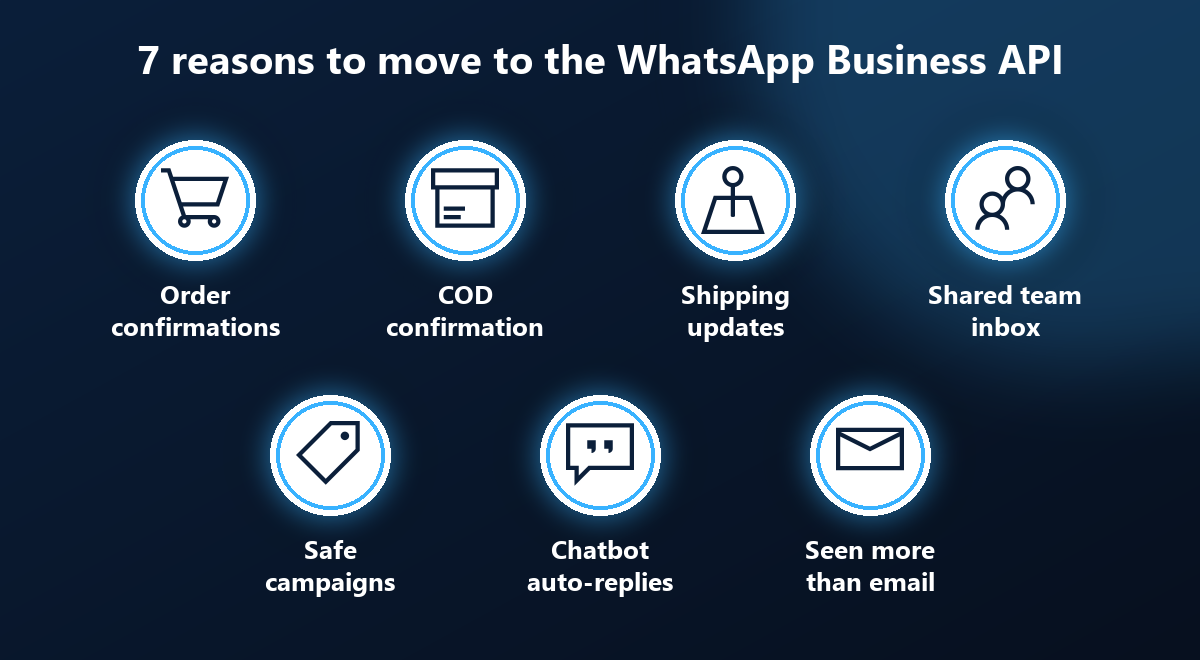
1. Automatic order confirmations
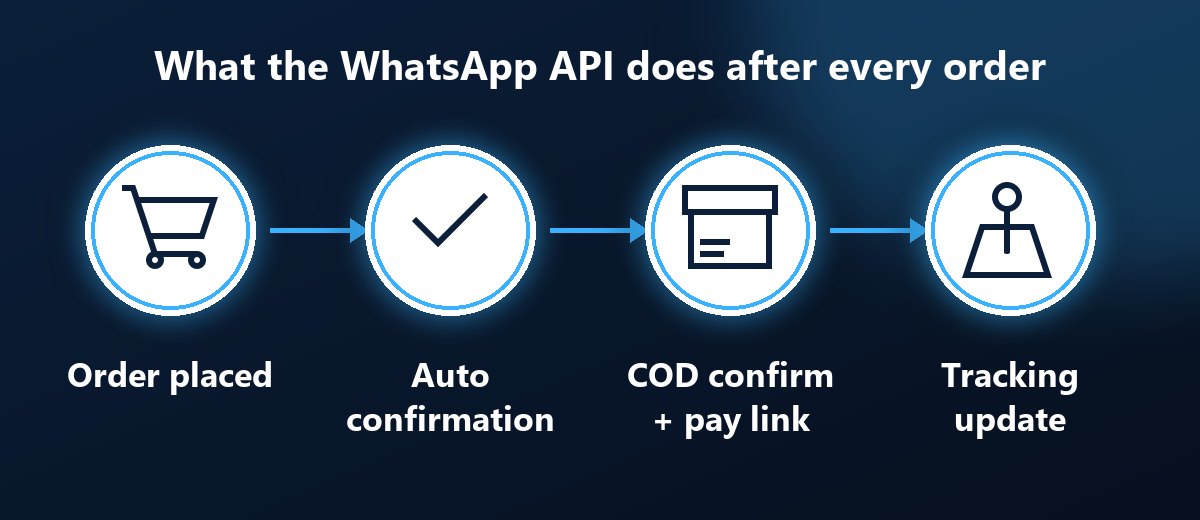
The moment an order is placed, the customer gets a WhatsApp message. It reassures them and cuts down on “did my order go through?” messages.
2. COD confirmation
Cash on delivery is huge in India, and so are fake and wrong-address COD orders. A confirmation message before you ship helps you filter them out. You can even include a payment link so the customer can pay online instead.
3. Shipping and tracking updates
Send the tracking number as soon as the parcel ships. This alone removes a big share of “where is my parcel?” support messages.
4. A shared team inbox
Several team members can answer from one number. Chats can be assigned, labelled and tracked. No more passing a phone around.
5. Campaigns the right way
With approved message templates, you can send offers, restock alerts and festival sales to customers who opted in. This is far safer than forwarding from a personal number.
6. Chatbots and auto-replies
Common questions about price, size, delivery time and return policy can be answered instantly, even at midnight.
7. A channel customers actually read
People check WhatsApp far more often than email. A message there is much more likely to be seen than a mail sitting in a promotions tab.
Keep your account safe: opt-in and templates
The API is not a free pass to message everyone. WhatsApp expects you to follow a few simple rules:
- Get opt-in first. Only message people who agreed to hear from you, for example at checkout or through a “chat with us” button.
- Use approved templates. Messages you start yourself, like order updates or offers, must use templates that WhatsApp has approved. Replies inside a customer’s open chat window are more flexible.
- Make opting out easy. If people can’t stop messages, they will block or report you, and that hurts your number’s quality.
Follow these and the API is far safer than blasting messages from a normal phone number.
Popular BSPs for ecommerce
Here are three well-known options:
- WATI: popular with small and mid-sized teams, with a shared inbox, automation and a chatbot builder.
- Interakt: built with Shopify and online sellers in mind, with a focus on order notifications and campaigns.
- AiSensy: known for broadcast campaigns and easy automation.
Pricing and features change often, so check each provider’s current plans before you decide. Think about how many messages you send in a month, how many team members need access, and whether it connects to your store platform. I broke down the costs in my post on WhatsApp Business API pricing in India.
If you want to try WATI, here is my link: https://affiliates.wati.io/9te6c5en3jp7
Amnii: WhatsApp API plus Instagram in one place
I’m also building my own app, Amnii, and WhatsApp API is built into it. It includes:
- A team inbox, with chat assignment and labels
- Keyword auto-replies
- Order notifications, including manual confirmations and COD payment links
- Marketing campaigns with delivery and read tracking
- Instagram DM and comment automation, so both channels sit together
If your customers reach you on both WhatsApp and Instagram, one place to handle both saves a lot of switching.
How to get started
- List your must-haves: order updates, team inbox, campaigns, chatbot.
- Choose a BSP and check its current pricing.
- Get your business verified with Meta and your message templates approved.
- Start with two automations: order confirmation and tracking updates.
- Add COD confirmation, then campaigns.
Don’t try to automate everything on day one. Two or three well-built messages will already take work off your team. If you also want to tidy up how orders move through your store, my guide to an ecommerce order management app is a good next read.
Common mistakes to avoid
- Sending too many messages. One useful update beats five pushy offers. Too many messages leads to blocks.
- Writing like a robot. Keep templates short and friendly, and include the customer’s name and order number.
- No human backup. A chatbot should hand over to a real person when a customer is stuck or upset.
- Ignoring replies. When customers answer an automated message, someone on your team needs to see it quickly.
Frequently asked questions
What is the WhatsApp Business API?
It is a business-grade version of WhatsApp that connects to your software and supports multiple team members. You access it through a Business Solution Provider (BSP).
Why is the free WhatsApp Business app not enough for an online store?
It works on a single phone and user, needs manual work, makes bulk messaging risky and has little automation.
What can an ecommerce store automate with the WhatsApp API?
Order confirmations, COD confirmation with an optional payment link, shipping and tracking updates, a shared team inbox, template-based campaigns, and chatbots with auto-replies.
How do I keep my WhatsApp Business account safe?
Get opt-in before messaging customers, use approved templates for business-initiated messages, and make it easy to opt out.
How do I get started with the WhatsApp API?
List what you need, pick a BSP, complete Meta verification, get your message templates approved, then start with order and tracking messages.
Final thoughts
The WhatsApp API for ecommerce is not about fancy tech. It’s about answering customers faster, shipping fewer wrong COD orders, and not drowning your team in repeat questions. If your store is growing, this is one of the highest-return upgrades you can make.
Want help setting up WhatsApp for your store? Get in touch and let’s talk.